
Your consentmanager account holds one or more CMPs, and each CMP holds the settings for one website or app. Around them sit vendors, purposes, cookies and designs.
Two questions cause most of the confusion, and they are easy to mix up. Where does an object live, and which CMP uses it? An object can live once in your account and be used by every CMP you have. Getting that distinction straight explains most of what follows, including what happens if you ever move a CMP to another account.
Your account and your CMPs
The account is the top of the structure. Inside it you create one or more CMPs. Each CMP is the root for the general and legal settings of one site, and each one gives you a unique code to install on that site.
Some objects belong to the account and are shared by every CMP in it. Others belong to a single CMP.
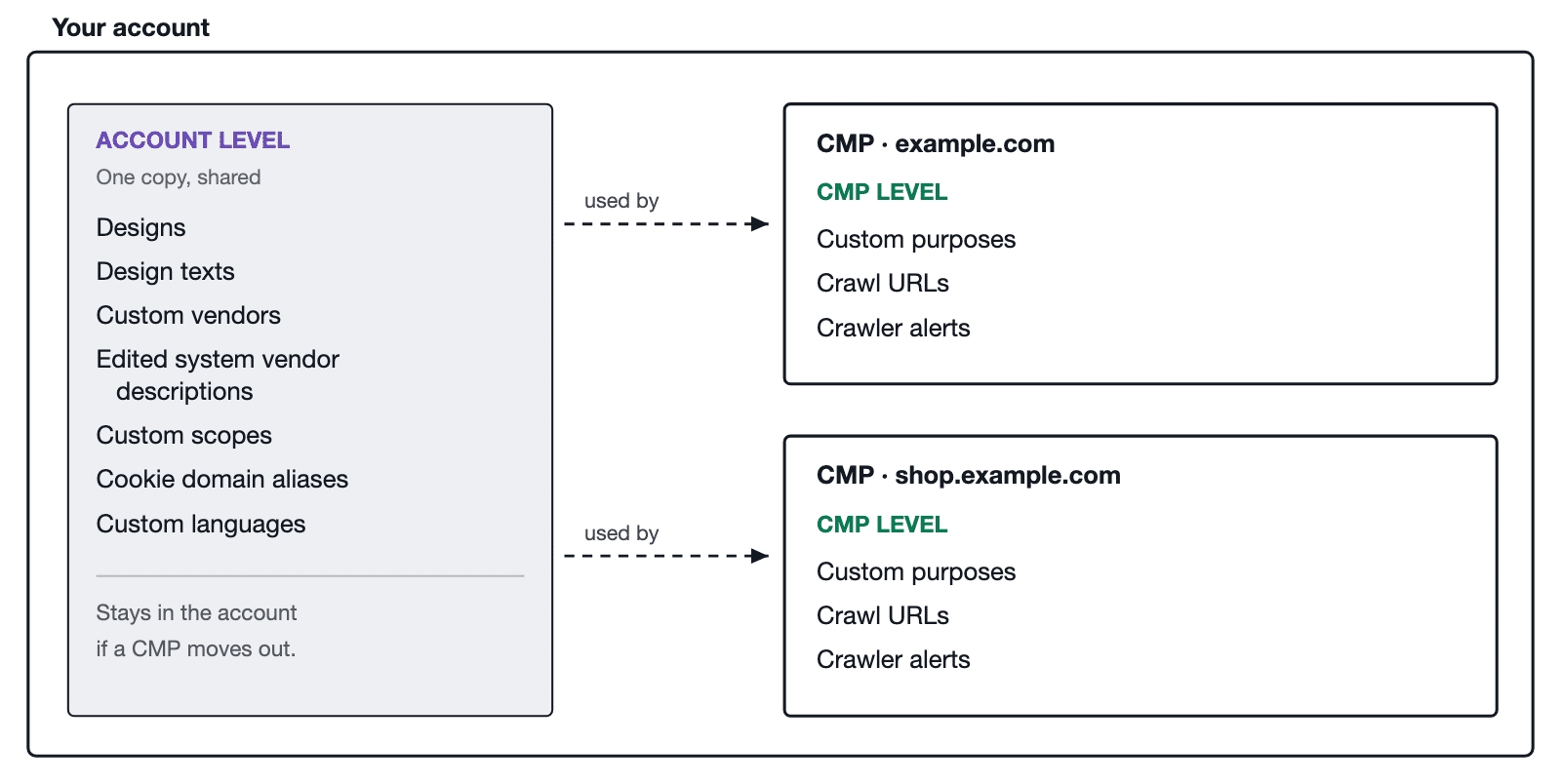
What lives where
| Object | Level | What that means for you |
| Designs | Account | Any CMP in the account can use them. Editing one changes it everywhere it is in use. |
| Design texts | Account | Same as designs. Renaming a cookie type here changes that name for every CMP. |
| Custom vendors | Account | Created once, assignable to any CMP. |
| Edited system vendor descriptions | Account | If you overwrite the description of a system vendor, that edit is stored at account level and applies wherever the vendor is used. |
| Custom scopes | Account | Shared across the account. |
| Cookie domain aliases | Account | Shared across the account. |
| Custom languages | Account | Shared across the account. Always copied rather than moved when a CMP changes account, so the original account keeps its own. |
| Custom purposes | CMP | Belong to one CMP. Another CMP has its own set. |
| Crawl URLs | CMP | Belong to one CMP. |
| Crawler alerts | CMP | Belong to one CMP. |
| Crawl history | CMP | Belongs to one CMP and moves with it. |
The practical version. If you change something at account level, check which other CMPs use it first. If you change something at CMP level, only that CMP is affected.
System, IAB and custom objects
Objects come from three places, and the difference decides how much of the work is yours.
- System objects are maintained by us. System vendors are kept up to date on your behalf, and cookie types are a fixed list you cannot change.
- IAB objects are registered with the IAB. If you use IAB purposes, IAB vendors are assigned to them automatically.
- Custom objects are the ones you create, when a vendor or a purpose you need does not exist yet.
You can tell them apart by their ID. Custom objects use a c prefix, so a custom purpose is c1 or c2. System vendors use an s prefix, such as s905. You will see these IDs in the interface, in your consent records, and in attributes such as data-cmp-vendor when you block a script manually.
Vendors
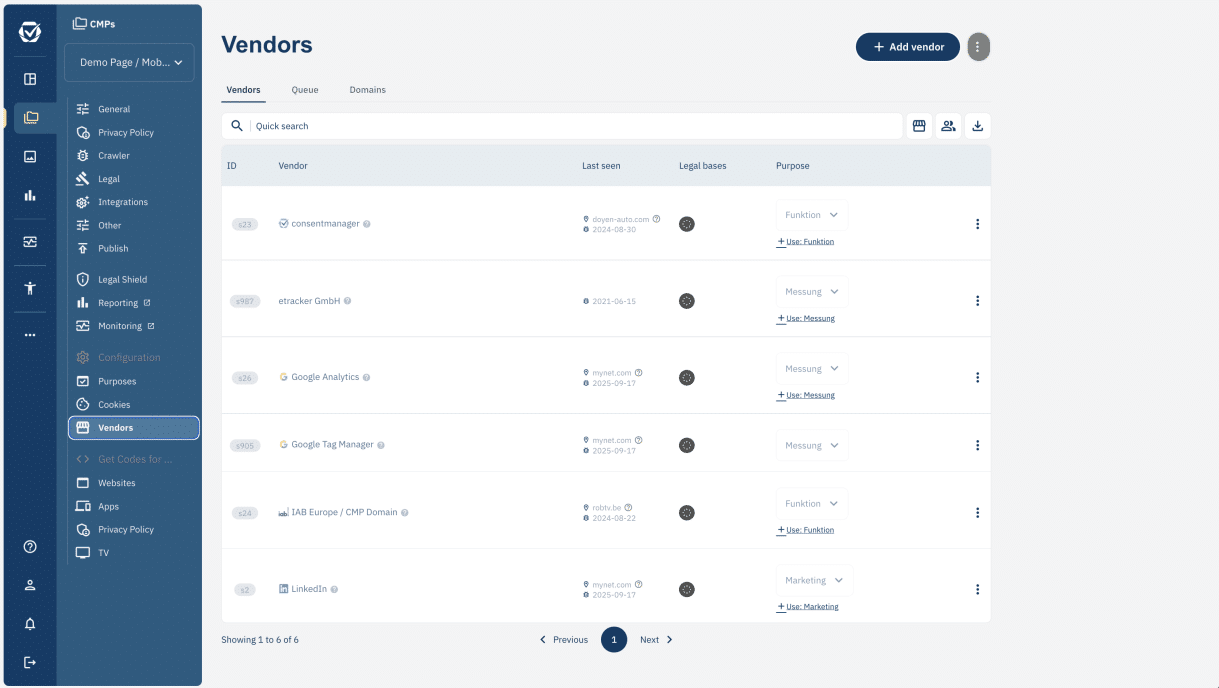
A vendor is a company or tool used on your site that either sets cookies or processes visitors’ personal data. The crawler usually finds them for you and adds them to your vendor list.
Make sure every vendor is assigned to at least one purpose. A vendor can belong to more than one: use the + Use link under the purpose in the vendor list to add another.
Purposes
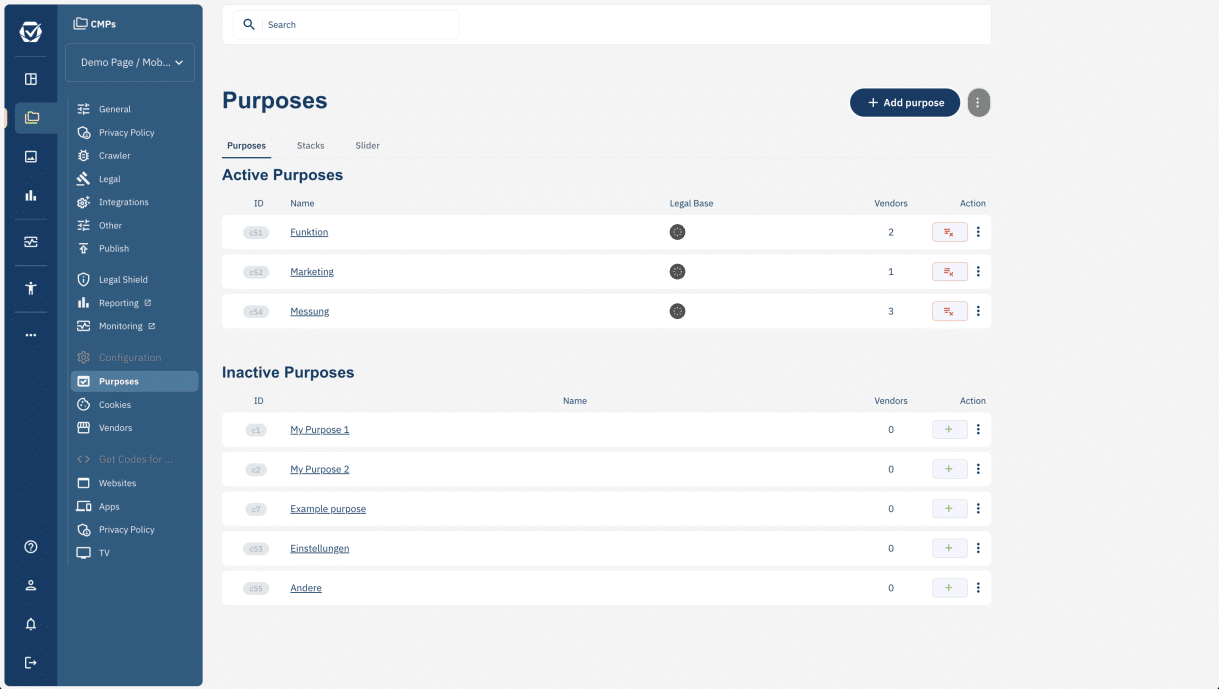
Purposes group vendors, so a visitor can accept or reject several at once rather than deciding vendor by vendor, and so they can see what those vendors are for. Typical purposes are Functional, Marketing, Preferences, Measurement, Social media, and Other.
Purposes are not the same as cookie types, even though the names look similar. For the full difference, what each cookie type means, and how to rename either, see What are Purposes? What are Types?
Cookies
Cookies are the objects a vendor stores on a visitor’s device. That includes ordinary HTTP and JavaScript cookies as well as other stored data such as local storage. The crawler usually builds this list for you, and each cookie should be assigned to a vendor.
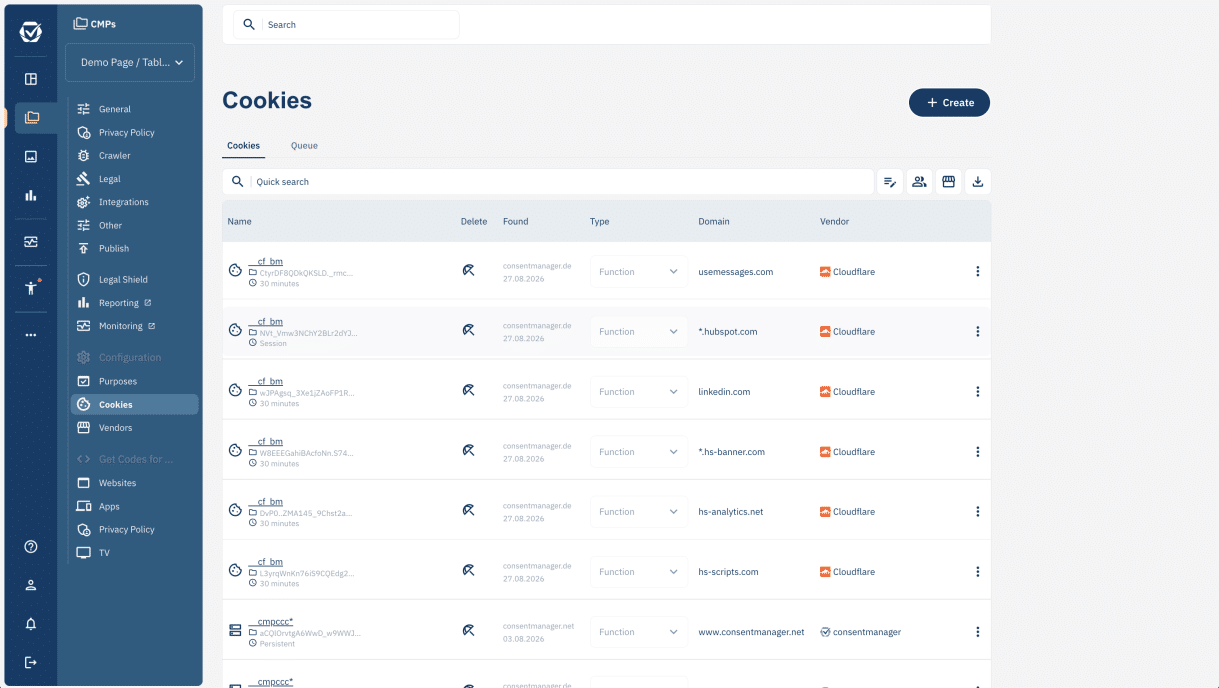
Cookies are informational. They describe what is on your site, and they do not change what gets blocked. The CMP blocks purposes and vendors, never individual cookies.
What happens if you move a CMP to another account
This is where the two levels stop being theory. A CMP can be moved between accounts by our support team, and it takes its CMP-level objects with it: custom purposes, crawl URLs, crawler alerts and crawl history.
Account-level objects behave differently, and the difference is the part worth reading twice. Most of them are transferred rather than copied. If a CMP moves along with its custom vendors or designs, those objects leave the original account, and any other CMP there that was using them no longer has them. Custom languages are the exception: they are always copied, so the original account keeps its own. Designs and design texts are transferred by default, but support can copy them instead if you ask, so tell them which you need before the move.
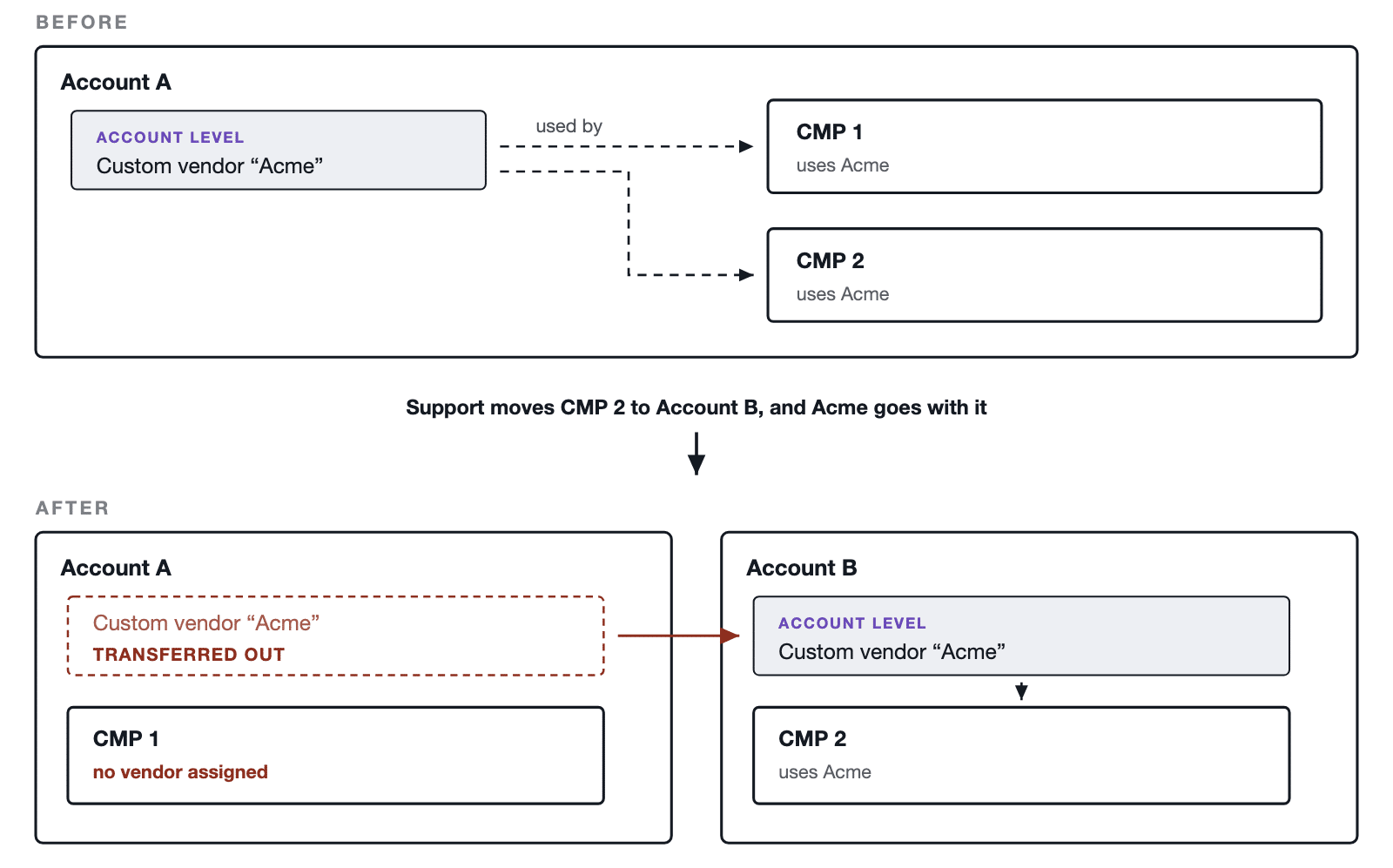
Before asking for a move, check which other CMPs in the account use the same custom vendors and designs. For the full procedure and what support needs from you, see How can I move my CMP to another consentmanager account?