
To use consentmanager you first need an account. If you already have one, skip to 2. Login.
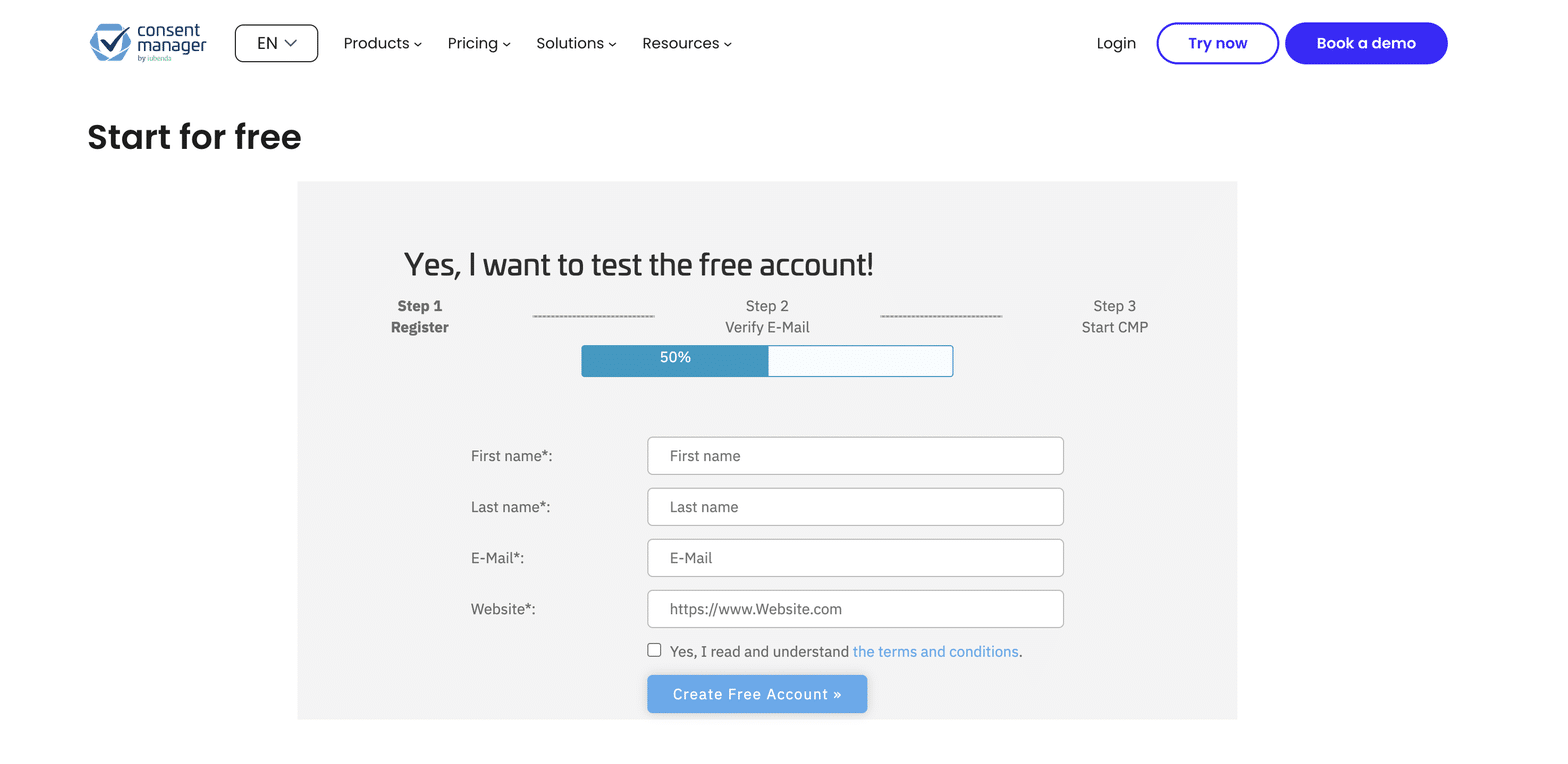
Registration has three steps, and the form shows you where you are: Register, Verify E-Mail, then Start CMP.
Step 1: Register
Go to consentmanager.net/en/register/ and fill in:
- First name
- Last name
- Email address
- Your website URL
Accept the terms and conditions, then click Create Free Account.
If you do not have a website yet, wait until it is live and reachable before you register.
Step 2: Verify your email address
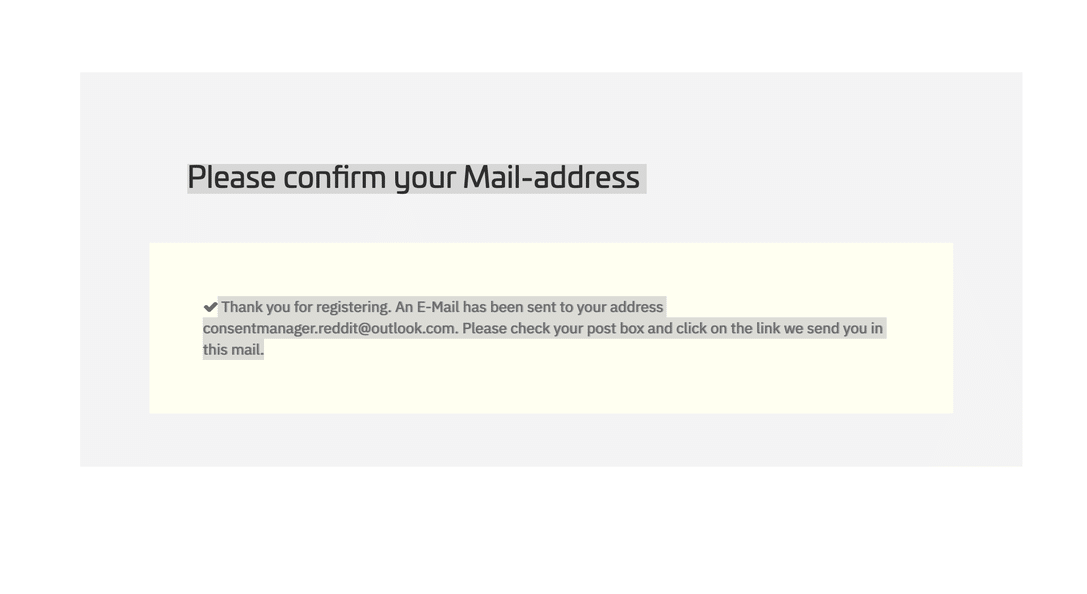
You will see a confirmation that an email has been sent to the address you gave.
The email comes from mail@consentmanager.net with the subject Activate your account. Click the link in it to verify your account.
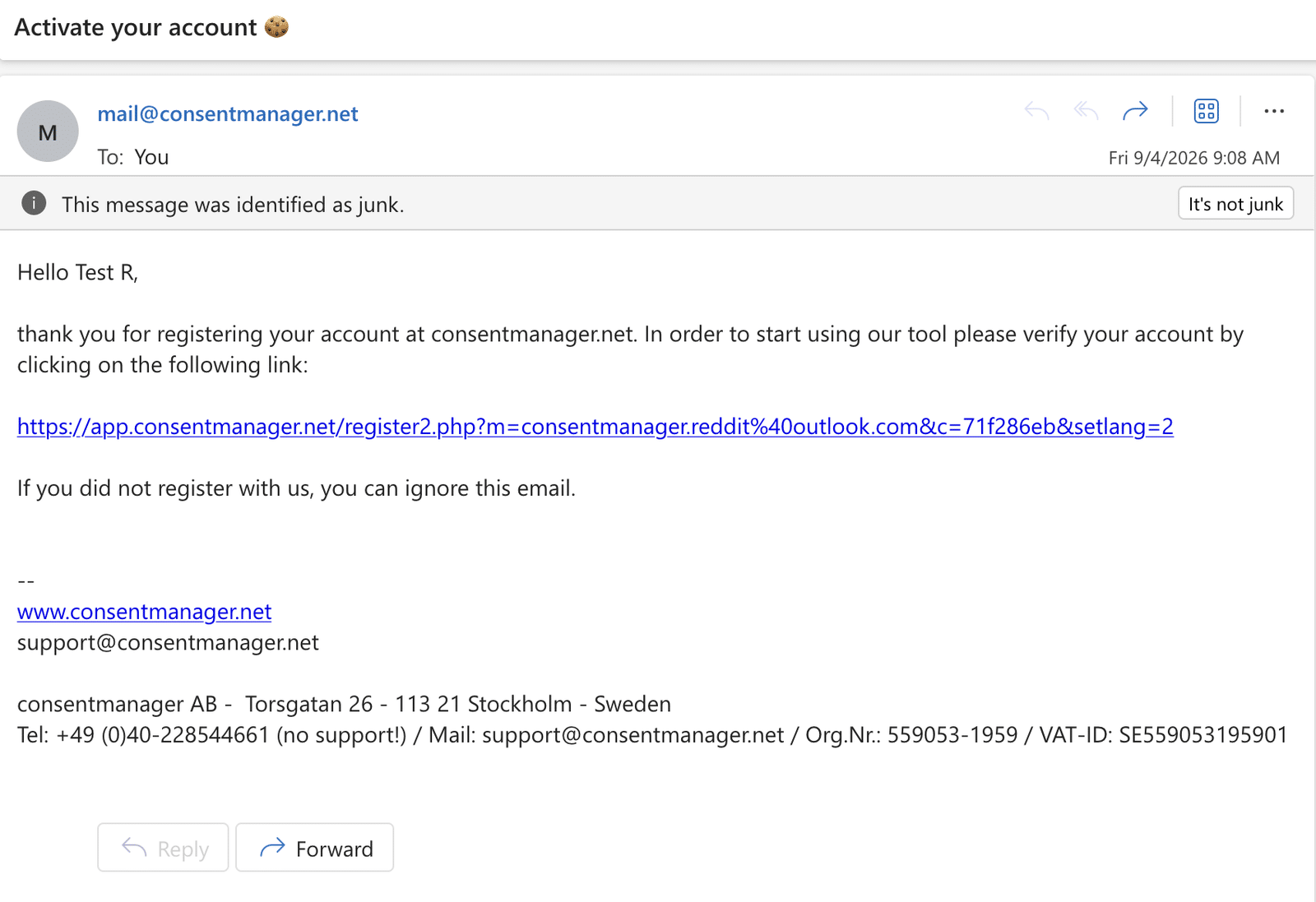
Not arrived? Check your spam or junk folder. Activation emails are sometimes filtered, as in the example above.
Step 3: Choose your password
The verification link opens a page confirming your account is almost ready and asking you to choose a password. Enter it twice and submit. The button is labelled Get A New Password.
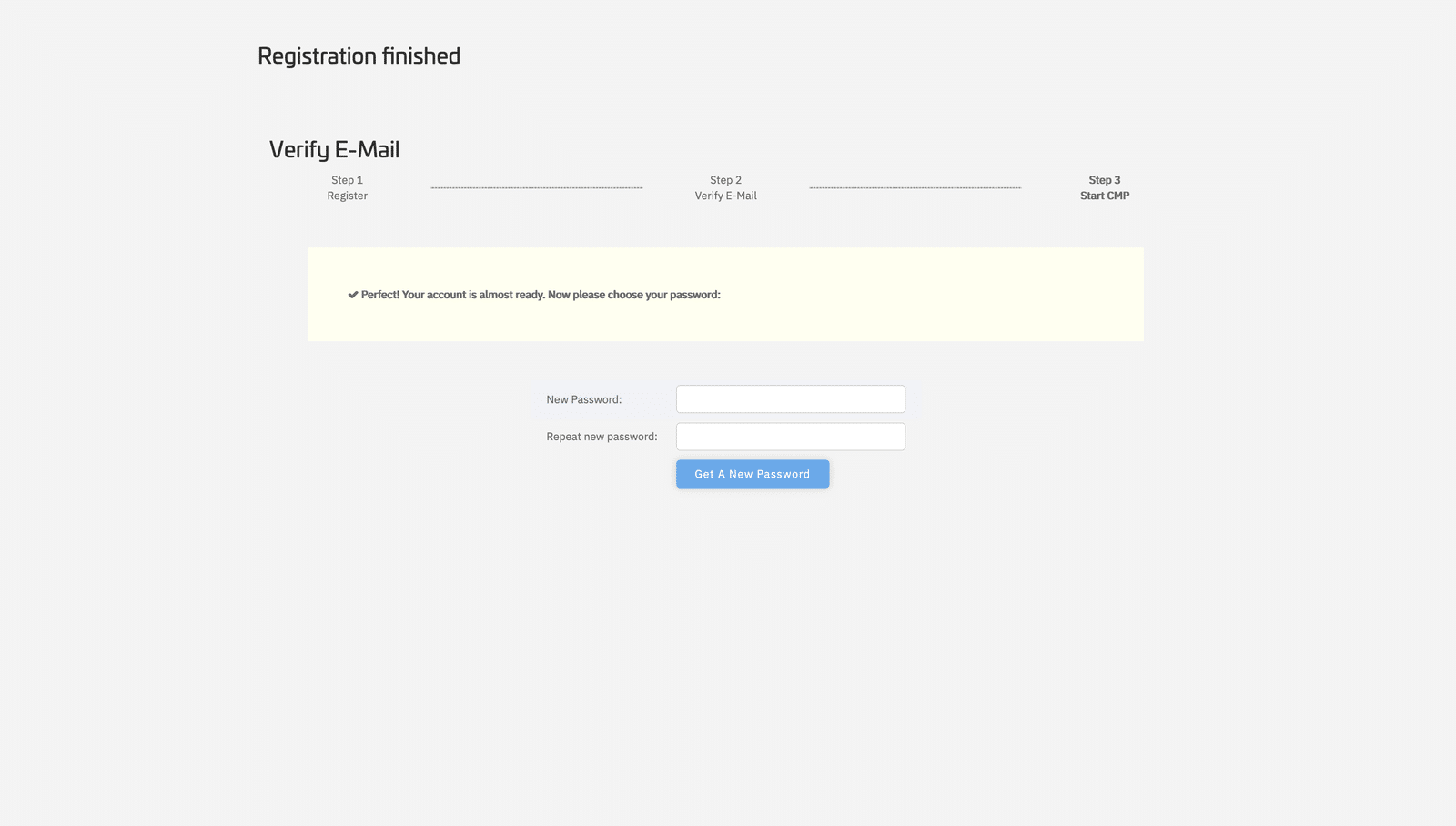
Your account is now active and you can log in.
Your username starts out as your email address. consentmanager keeps your login username and your account email address as two separate fields, and both are set to the address you registered with. Either can be changed later. See 2. Login for how they differ.