Monetizing your website, whether you’re in the early stages or have been steadily growing your site’s traffic for years, can bring complex online challenges from all angles at any time.
From the privacy regulations you need to comply with, to the analytics tool to deploy and consent settings that must be enabled for certain regions—checking all the boxes can be both complex and overwhelming, potentially leading to missed revenue opportunities.
That’s where Compliance Monitor can help. A centralized view of all your ad vendors, analytics and compliance status-without spending countless hours manually analyzing data or navigating complicated regulations.
Protect your revenue streams by verifying vendors through your personalized report and check that standards like the TCF is enabled on every page. These and other critical checks help ensure you can deliver personalized ads and maximize your revenue — all accessible through your Compliance Monitor dashboard.
Let’s take a closer look at the specific actions you can take and where you can find them on your consentmanager dashboard.
Identify and fix vendor issues to protect your revenue stream
Ensure Advertisers are accurately listed
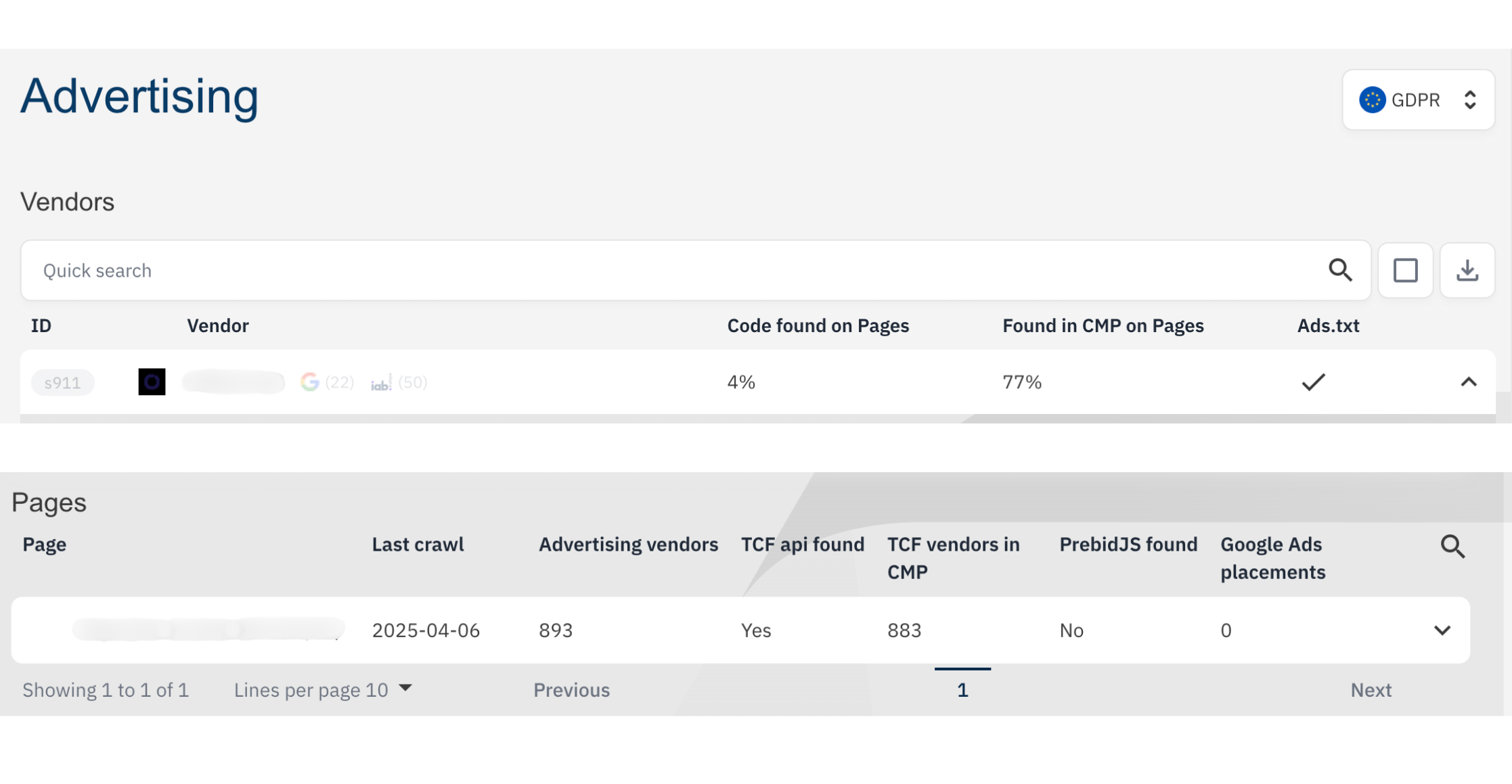
Ensure your vendors are accurately listed in both your Consent Management Platform (CMP) and your ads.txt file. Missing advertisers in your CMP can result in lower revenue from non-personalized ads. Additionally, a compliant setup reassures advertisers that your site adheres to industry standards. You can verify this in your Advertising Report to see whether your Vendors are found in your ads.txt.
Check that TCF is enabled on all pages
In your Advertising Report, make sure that the Transparency and Consent Framework (TCF) is enabled on all pages. Ensuring this will also allow personalized ads to be shown to your visitors, which in turn will allow higher paid, relevant ads to be shown.
Monitor your Google Ads Placements
You can also use the report to see the number of Google Ad placements for each page. With this information, identify pages that have too many or too few ad placements. Optimize your ad strategy or adjust these pages to increase click-through rates and, ultimately, drive more revenue.
Ensure accurate tracking and analytics set up
Effective monetization relies on the insights derived from accurate tracking and data analysis. Make sure your analytics tools and tracking codes are set up correctly so that all monetized pages function as intended.
The Analytics Report can help you to:
Validate your tracking setups
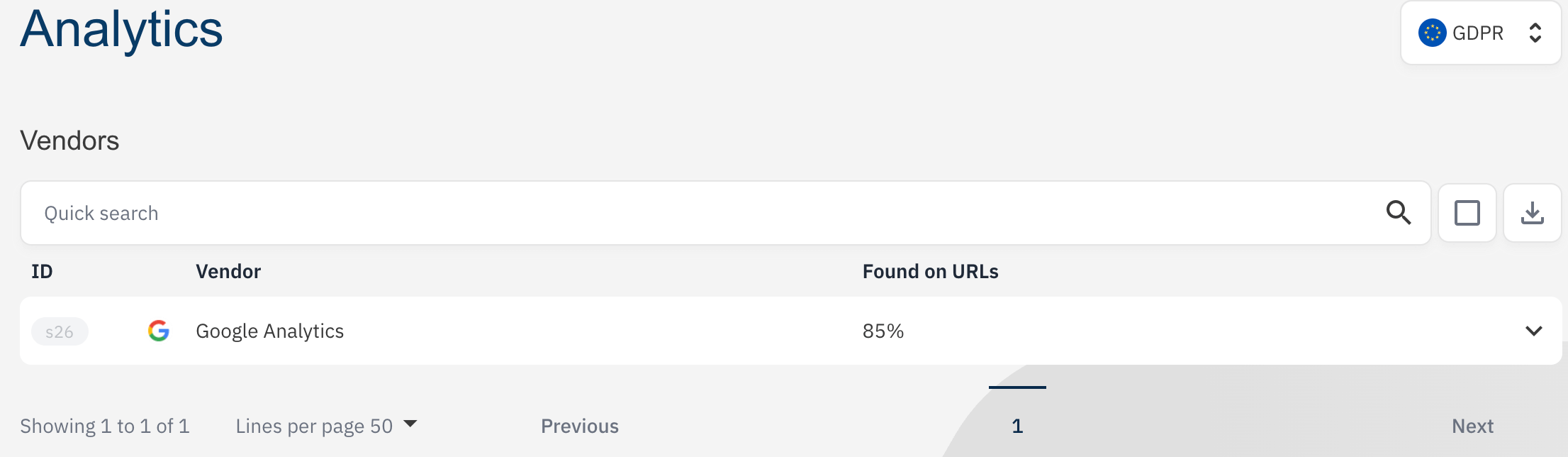
See the percentage of your site’s URLs with the proper tracking code. Use the drop-down list to view all pages with the Google Tag Manager tracker and Google Analytics properly implemented.
Diagnose your technical Issues
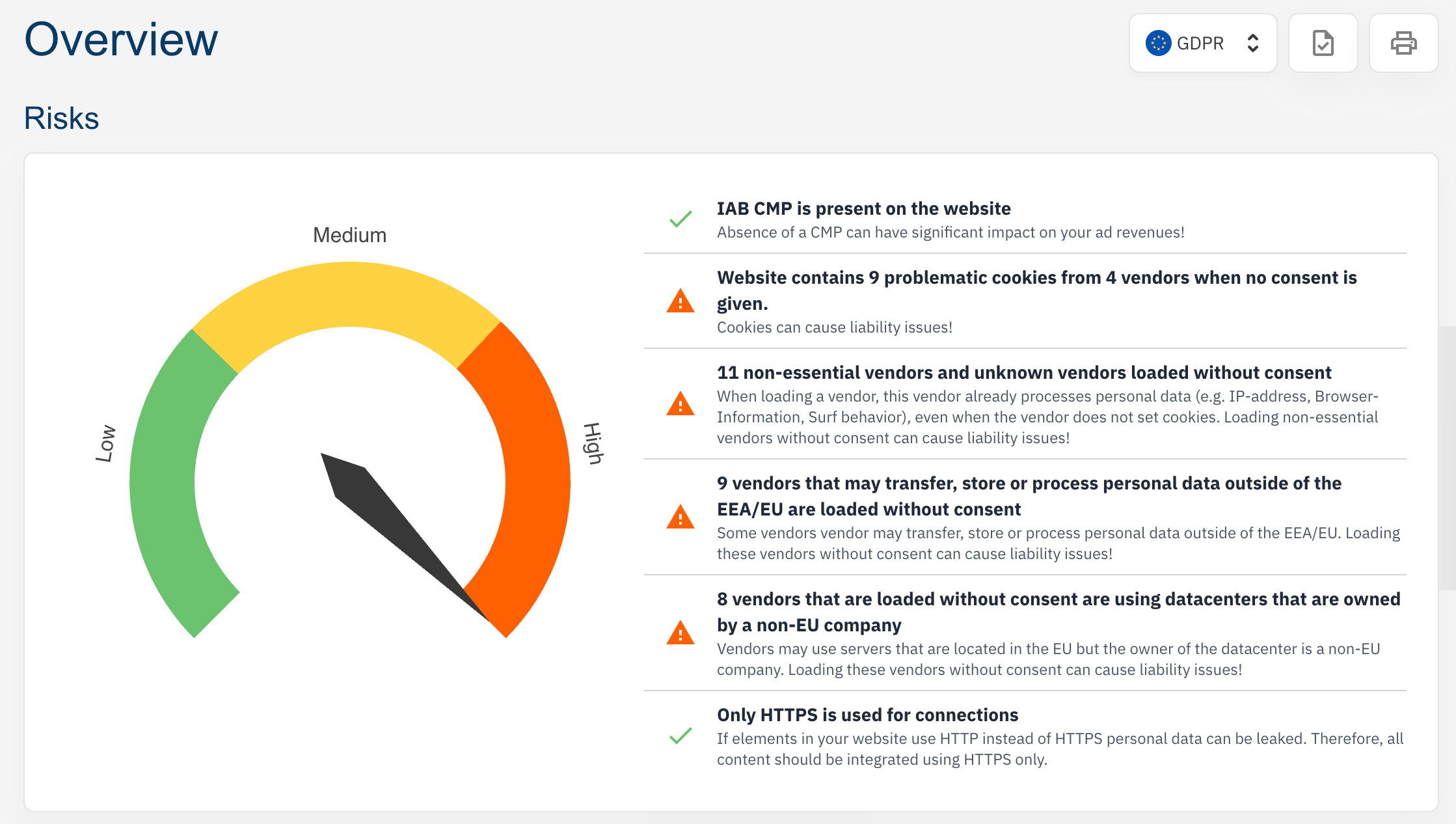
Metrics like the last crawl date and TCF load time allow you to quickly pinpoint and resolve technical issues that could affect monetization. Your dashboard will immeditately flag potential problems—such as vendors loading without consent or not being properly listed in your CMP.
By ensuring all vendors are accurately labeled and that you have the right safety measures in place, you not only avoid technical pitfalls but also build confidence with ad systems like Google Adsense, leading to improved ad placements and revenue.
Support for Prebid implementation
For publishers using Prebid for header bidding, the Advertising Report provides details on TCF APIs and PrebidJS usage—both important for efficient programmatic advertising and smooth ad delivery.
Ensure compliance with privacy laws and consent standards for accurate tracking
Ensure that your site is compliant with data privacy laws worldwide
When storing and processing personal data, compliance with laws such as the General Data Protection Regulation (GDPR) and the California Consumer Privacy Act (CCPA) is essential, depending on where your target audience resides. Failure to comply can result in missed opportunities for targeted advertising on your website, and a loss of trust with your vendors.
Tip: Go to the Issues section of your Compliance Monitor dashboard and resolve them in order of severity, with “High” being the top priority.
Check that Consent Mode is enabled
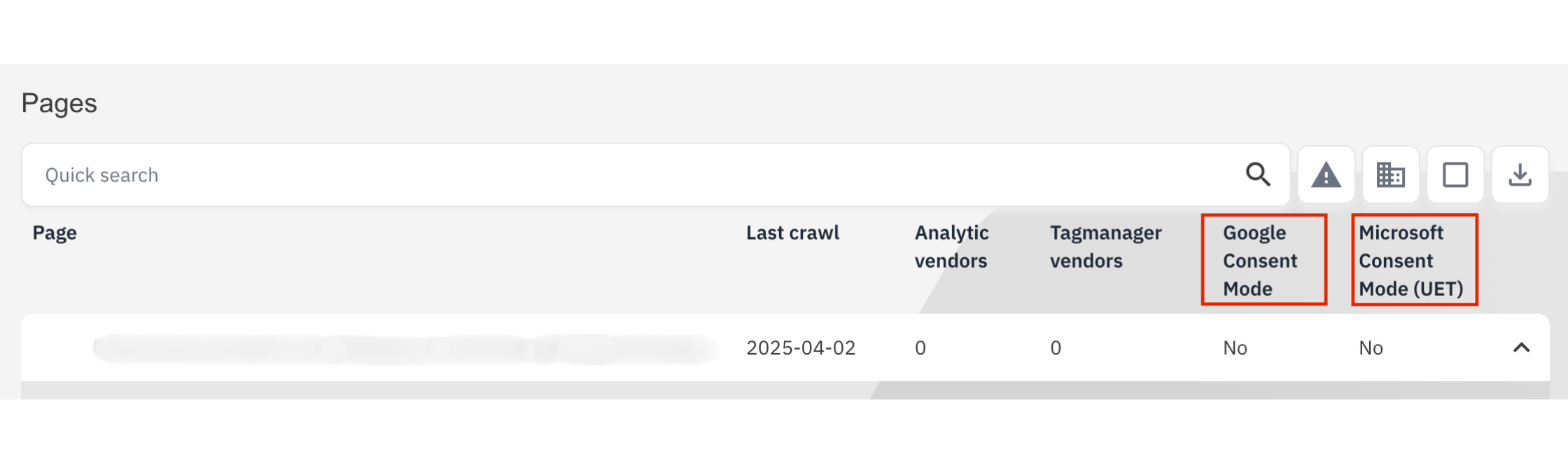
When serving ads online, Google Consent Mode and Microsoft Consent Mode have become necessary components, depending on if you’re using Google Adsense or Microsoft Advertising. Particularly in the European Economic Area and the United Kingdom, this standard must be enabled in order for tracking and advertising to be compliant.
Drill down into individual pages to verify whether Google Consent Mode or Microsoft Consent Mode (UET) is implemented—ensuring compliance and accurate data collection even in the event where consent is rejected. Head to your Analytics Report to verify this.
Take control of your monetisation strategy with confidence.
Want to try Compliance Monitor for yourself? Click here to start your 14-day free trial on a paid plan: https://app.consentmanager.net/register.php?setlang=2